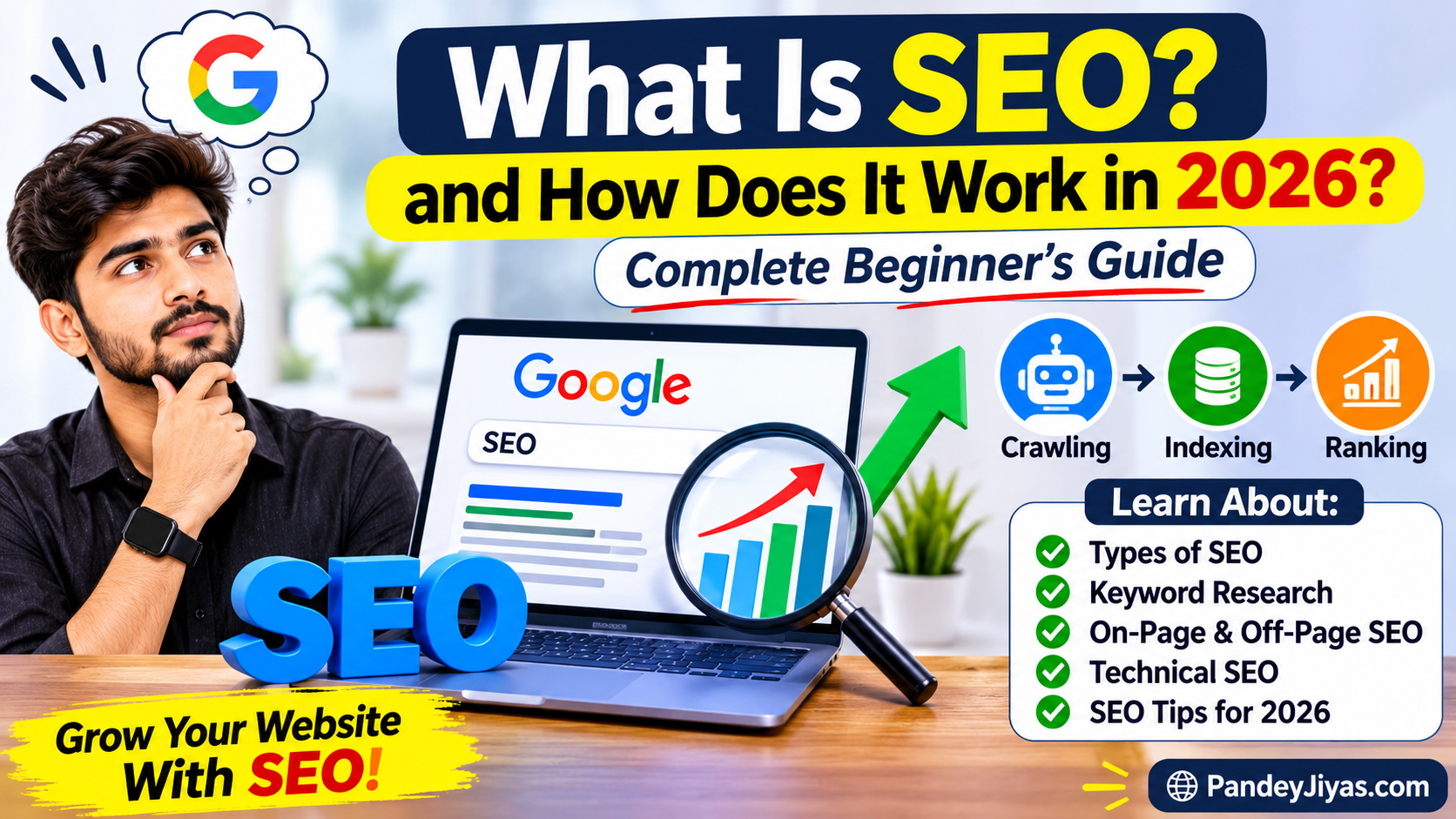
SEO (Search Engine Optimization) is one of the most important strategies for growing a website or blog online. If you have a website and want people to find your content through Google without paying for advertisements, SEO can help you increase your organic traffic, reach new audiences, and build a long-term online presence.
In 2026, SEO is not just about adding keywords to an article. It is about creating helpful content, understanding what people are searching for, improving the website experience, and making your pages easy for search engines to understand.
In this complete beginner’s guide, we will explain what SEO is, how it works, different types of SEO, important SEO techniques, keyword research, common SEO mistakes, and how you can improve your website’s visibility in search engines.
1. What Is SEO?
SEO stands for Search Engine Optimization. It is the process of improving a website and its content so that search engines can understand it better and people can find it more easily through search results.
When someone searches for information on Google, the search engine displays pages that it believes are relevant and useful for that query. SEO helps website owners improve their content, structure, and technical setup so their pages can be discovered and understood.
For example, if someone searches for:
- Best budget smartphones in 2026
- How to start blogging
- Best free AI tools
- How to improve website traffic
- SEO tips for beginners
Google may show different websites that answer these questions. If you publish a helpful article about one of these topics and optimize it properly, your page may appear in relevant search results.
SEO does not guarantee the first position on Google. However, good SEO practices can help search engines discover your website and help users find useful information.
2. Why Is SEO Important for Websites?
SEO is important because it helps people discover your website when they are actively searching for information.
There are millions of websites on the internet. Without proper content, organization, and visibility, it can be difficult for users to discover your pages.
Here are some major benefits of SEO.
Increase Organic Website Traffic
Organic traffic means visitors who reach your website through unpaid search results.
Instead of paying for every visitor through advertisements, SEO can help your articles receive visits from people searching for the information you provide.
Improve Website Visibility
SEO can help your website appear in search results for relevant keywords and questions.
When your website has useful content covering different topics within a focused niche, it can become easier for people to discover it.
Build Trust and Credibility
Websites that consistently publish accurate, useful, and well-organized information can build trust with readers over time.
Visitors are more likely to return when they find content that genuinely answers their questions.
Reach the Right Audience
SEO helps you connect with people who are already interested in your content.
For example, a person searching for “how to choose a laptop for students” is likely interested in laptop buying advice. A useful article about that topic can attract readers who are genuinely looking for your information.
Long-Term Growth
A useful blog article may continue attracting visitors long after it has been published.
SEO takes time, but well-maintained articles can potentially generate organic traffic for months or even years.
3. How Does SEO Work in 2026?
Search engines use automated systems to discover web pages, understand their content, and decide which pages are relevant to a search.
Google Search generally works through three main stages:
Step 1: Crawling
Crawling is the process of discovering webpages on the internet.
Search engines use automated programs called crawlers or bots to visit webpages, follow links, and discover new or updated content.
When you publish a new blog post, Google may discover it through:
- Links from other pages
- Links from your website’s homepage
- Internal links from other articles
- Your website’s sitemap
- Other discovery systems
If Google can access your webpage, it may crawl the page to understand its content.
Step 2: Indexing
Indexing is the process of analyzing and storing information about a webpage.
After crawling a page, Google tries to understand its:
- Main topic
- Text content
- Headings
- Images
- Page title
- Links
- Language
- Content relevance
If Google considers the page eligible for indexing, it may store the information in its search index.
Not every crawled page is guaranteed to be indexed.
Step 3: Ranking and Serving Search Results
When a person searches for something on Google, the search engine looks through its index and selects pages that may best answer the query.
Search results can be influenced by many factors, including:
- Relevance to the search query
- Content quality and usefulness
- Website usability
- Page experience
- Context of the search
- Location and language
- Competition for the topic
Google then displays the results it considers most useful for the particular search.
<AsyncImageGroup query=”simple SEO infographic crawling indexing ranking search engine three stages” layout=”carousel” aspectRatio=”16:9″/>
4. Types of SEO
SEO is divided into several categories. Each category focuses on a different part of website optimization.
A. On-Page SEO
On-page SEO means optimizing the content and elements available on your webpage.
It helps search engines understand what your article is about and helps readers navigate your content.
Important on-page SEO elements include:
- SEO-friendly title
- Main heading (H1)
- Proper subheadings (H2 and H3)
- Relevant keywords
- Helpful content
- Internal links
- Image alt text
- Readable paragraphs
- Descriptive URLs
For example, if your article is about “Best Free AI Tools for Students,” your title, headings, content, and images should clearly relate to that topic.
Avoid adding keywords unnaturally. Your article should sound normal and be easy for people to read.
B. Off-Page SEO
Off-page SEO refers to activities outside your website that may help improve its reputation, discovery, and visibility.
Examples include:
- Earning links from relevant websites
- Sharing useful content
- Building genuine relationships with other creators
- Participating in relevant communities
- Getting mentioned by other websites
Backlinks are links from other websites to your website. Relevant, genuine backlinks can help Google discover pages and understand how content is connected.
However, buying spammy links or participating in link schemes can create problems. Focus on creating content worth referencing naturally.
C. Technical SEO
Technical SEO focuses on helping search engines access, crawl, understand, and index your website properly.
Important technical SEO areas include:
- Mobile-friendly website design
- Website loading speed
- HTTPS security
- Sitemap
- Crawlability
- Indexability
- Proper URL structure
- Broken link fixes
- Avoiding duplicate pages
A website may have excellent content, but technical issues can make it harder for search engines to access or understand certain pages.
D. Local SEO
Local SEO helps businesses become more visible in location-based searches.
For example, someone may search for:
- Best restaurant near me
- Mobile repair shop in Jaipur
- Dentist in Udaipur
- Computer shop nearby
Local SEO is especially useful for businesses that serve customers in specific locations.
E. Image SEO
Image SEO helps search engines understand your website’s images.
You can improve image SEO by:
- Using relevant images
- Writing descriptive file names
- Adding helpful alt text
- Compressing images to reduce file size
- Using appropriate image formats
- Keeping images relevant to the article
For example, instead of uploading an image named IMG_001.jpg, you could use a descriptive filename such as seo-keyword-research-guide.jpg, if it accurately describes the image.
5. What Are Keywords in SEO?
Keywords are words or phrases that people enter into search engines when looking for information.
Examples of keywords include:
- SEO tips for beginners
- Best smartphones under ₹20,000
- How to start a blog
- Free video editing apps
- Best AI tools for students
Keywords help you understand what people want to learn and what type of content you should create.
Types of Keywords
Short-tail keywords: These are usually short and broad search phrases.
Examples:
- SEO
- Smartphones
- Blogging
- AI tools
These keywords can be highly competitive and may have multiple search intents.
Long-tail keywords: These are more specific phrases.
Examples:
- How to learn SEO from scratch for beginners
- Best smartphones for photography under ₹20,000
- How to start a Blogger website for free
Long-tail keywords often communicate a clearer search intent. They can be useful for new websites that are targeting specific questions and topics.
How to Choose the Right Keywords
Before writing a blog post, consider:
- What question is the reader trying to answer?
- Is the keyword relevant to your website?
- Can you create a useful article about this topic?
- What information is missing from existing articles?
- Is the topic specific enough for your audience?
Do not select keywords only because you think they have high search volume. The topic should also be relevant to your website and something you can explain accurately.
6. How to Do Keyword Research
Keyword research is the process of finding and understanding the search terms people use.
It helps you plan content based on real questions and interests.
Step 1: Choose a Main Topic
First, select a topic related to your website.
For example:
- Technology
- Blogging
- SEO
- Education
- AI
- Online tools
Step 2: Find Related Search Questions
Think about the questions beginners may ask.
For an SEO topic, people may search:
- What is SEO?
- How does SEO work?
- How can I rank my website on Google?
- What are backlinks?
- How do I find keywords?
Step 3: Use Keyword Research Tools
You can explore search terms using:
- Google Search suggestions
- Google Trends
- Google Search Console
- Keyword Planner
- Keyword research platforms
These tools can help you explore related phrases, trends, and search behavior.
Step 4: Understand Search Intent
Search intent means understanding the reason behind a search.
There are four common types:
Informational intent: The user wants to learn something.
Example: What is SEO?
Navigational intent: The user wants to visit a particular website.
Example: Google Search Console login.
Commercial investigation: The user wants to compare options before deciding.
Example: Best SEO tools for bloggers.
Transactional intent: The user is ready to complete an action.
Example: Buy a website hosting plan.
Understanding search intent helps you create the right type of article.
7. How to Write SEO-Friendly Blog Posts
Writing SEO-friendly articles does not mean repeating the same keyword again and again.
It means creating an article that is easy to understand, properly organized, relevant to the topic, and helpful to the reader.
Use a Clear SEO Title
Your article title should explain what the page is about.
Example:
What Is SEO and How Does It Work in 2026? Complete Beginner’s Guide
A good title is clear, descriptive, and relevant to the article.
Use Proper Headings
Organize your article with headings and subheadings.
- H1: Main article title
- H2: Main sections
- H3: Supporting sections
Headings make your article easier to scan and understand.
Write Short, Readable Paragraphs
Avoid very long paragraphs.
Use simple language, examples, bullet points, and explanations so readers can easily understand the topic.
Add Relevant Images
Images can make your article more engaging and help explain difficult concepts.
Use relevant images instead of adding decorative pictures that do not support the content.
Add Internal Links
Internal links connect one article on your website to another article.
For example, in your SEO article, you can link to:
- How to Start Blogging
- How to Find Keywords
- Best Free SEO Tools
- How to Increase Website Traffic
Internal links help readers explore your website and discover related information.
Add External Links
External links can support your content by connecting readers to reliable information.
For SEO-related articles, official documentation and trustworthy sources are often helpful.
8. What Is On-Page SEO? (Practical Example)
Let’s understand on-page SEO with a simple example.
Suppose you are writing an article about:
Best Free SEO Tools for Beginners
You can optimize it in the following way:
| SEO Element | Example |
|---|---|
| SEO Title | Best Free SEO Tools for Beginners in 2026 |
| Main Keyword | Free SEO Tools |
| URL | best-free-seo-tools |
| H1 Heading | Best Free SEO Tools for Beginners |
| Meta Description | Discover useful free SEO tools for keyword research, website analysis, search performance and content optimization. |
| Image Alt Text | Free SEO tools for website optimization |
| Internal Link | How to Learn SEO from Scratch |
These elements should accurately describe the article and help readers understand what they will find on the page.
9. What Is Off-Page SEO and Why Do Backlinks Matter?
Backlinks are links from other websites that point to your website.
For example, if another blogger writes an article about useful technology websites and includes a link to your article, that link is a backlink.
Backlinks may help search engines discover pages and understand the relationships between websites.
Benefits of Backlinks
- Help search engines discover your content
- May support your website’s reputation
- Can bring referral traffic
- Help readers find additional information
How to Earn Backlinks Naturally
- Publish original and helpful content
- Create useful guides and tutorials
- Share unique research or information
- Build genuine relationships with website owners
- Make resources people may naturally want to reference
Avoid using spammy backlink services or creating large numbers of artificial links.
10. Technical SEO Checklist for Beginners
Technical SEO is an important part of maintaining a healthy website.
Here is a beginner-friendly checklist:
- Website should open properly.
- Website should work on mobile devices.
- HTTPS security should be enabled.
- Pages should load reasonably quickly.
- Important pages should be accessible to search engines.
- Sitemap should be available and submitted where appropriate.
- Broken links should be checked.
- Pages should have descriptive titles.
- Images should be optimized.
- Important articles should have internal links.
Technical SEO does not mean you need to become a programmer. Many website platforms provide tools and settings that make these improvements easier.
11. Best Free SEO Tools in 2026
There are many SEO tools available, and beginners can start with free tools.
Google Search Console
Google Search Console helps website owners understand their website’s performance in Google Search.
It can help you:
- Check search clicks
- View impressions
- Explore search queries
- Monitor indexing
- Identify certain website issues
- Inspect individual URLs
Google Analytics
Google Analytics helps you understand website visitors and how they interact with your website.
You can explore:
- Website traffic
- Visitor activity
- Popular pages
- Traffic sources
- User engagement
Google Trends
Google Trends helps explore the popularity of search topics over time and across locations.
It can be useful when deciding which topics to write about or when comparing interest in different subjects.
Keyword Planner
Google Keyword Planner is a tool primarily designed for Google Ads keyword planning. It can also help users explore keyword ideas and estimated search data.
Bing Webmaster Tools
Bing Webmaster Tools provides information about how your website performs in Bing search and offers tools for website owners.
12. How to Improve Google Ranking in 2026
Improving Google rankings takes consistent effort. There is no guaranteed shortcut to the first position.
Here are some important practices.
Publish Helpful and Original Content
Write articles that answer questions properly.
Avoid copying content from other websites. Add your own explanations, examples, research, and useful information.
Update Old Articles
Some information becomes outdated over time.
Review older articles and update outdated details, links, examples, screenshots, and facts whenever necessary.
Improve Website Speed
A fast website provides a better experience.
Reduce unnecessary elements, optimize image sizes, and avoid using too many heavy scripts or widgets.
Make Your Website Mobile-Friendly
Many visitors use mobile devices to browse websites.
Your content should be readable on small screens, images should fit properly, and navigation should be easy to use.
Use Internal Linking
Link related articles together so readers can easily find more information.
For example, an article about SEO basics can link to separate guides about keywords, backlinks, technical SEO, and Search Console.
Focus on Your Website’s Main Topic
Create content related to your website’s main purpose.
Publishing random articles on unrelated subjects may make it harder to build a consistent audience and a clear site focus.
Understand Your Audience
Write content for the people who are likely to visit your website.
Understand their questions, their knowledge level, and the problems they want to solve.
13. Common SEO Mistakes Beginners Should Avoid
Many beginners make mistakes that can reduce content quality and create a poor user experience.
Keyword Stuffing
Keyword stuffing means using the same keyword excessively or unnaturally.
Instead, write naturally and include relevant terms where they make sense.
Copying Content
Copying articles from other websites does not help build an original, valuable website.
Create your own content and add useful information.
Ignoring Mobile Users
If your website is difficult to read or navigate on mobile devices, visitors may have a frustrating experience.
Always check your pages on mobile.
Creating Thin Content
Thin content provides little useful information.
Avoid publishing short, incomplete articles just to target a keyword. Give readers a meaningful answer.
Buying Spammy Backlinks
Artificial link schemes may violate search engine spam policies.
Focus on building your website’s reputation through helpful content and legitimate promotion.
Publishing Without Research
Before writing an article, understand the topic and what readers are looking for.
Research helps you produce more accurate and complete content.
Expecting Immediate Results
SEO is not an overnight process.
A new website may take time to build visibility, gain trust, and attract visitors. Results can vary significantly between websites and pages.
14. How Long Does SEO Take to Show Results?
SEO results depend on many factors, including:
- Website age
- Competition
- Content quality
- Technical condition
- Search demand
- Website reputation
- Consistency of improvements
Some changes may be reflected relatively quickly, while other improvements may take several months.
A new website should focus on creating useful articles, maintaining a clear structure, fixing technical problems, and monitoring performance rather than expecting instant rankings.
15. SEO Strategy for a New Website
If you are starting a new website, follow this simple strategy.
Month 1: Website Setup
- Choose a clear niche.
- Create important website pages.
- Set up Google Search Console.
- Set up analytics.
- Check mobile design.
- Create a basic sitemap.
Month 2: Content Creation
- Research relevant keywords.
- Publish useful articles regularly.
- Create articles around related topics.
- Add internal links.
- Optimize images.
Month 3: Website Improvement
- Review Search Console data.
- Check which articles are receiving impressions.
- Improve titles and content where needed.
- Fix technical issues.
- Update older articles.
Continue this process consistently. Quality, useful content and regular improvements are more important than publishing large numbers of low-quality articles.
16. Does SEO Help You Earn Money?
SEO can help a website attract visitors, and website traffic may create opportunities to earn income.
Some common website monetization methods include:
- Display advertising
- Affiliate marketing
- Digital products
- Sponsored content
- Services
However, SEO does not guarantee income. Earnings depend on website traffic, audience interests, content quality, monetization methods, and other factors.
A useful website should focus on building an audience first and monetizing responsibly.
17. The Future of SEO in 2026
SEO continues to evolve as search technology changes.
Modern search engines use sophisticated systems to understand language, topics, context, and the usefulness of webpages.
Website owners should focus on:
- Helpful and original content
- Accurate information
- Clear explanations
- Good website experience
- Strong topical focus
- Relevant images and media
- Content that genuinely answers user questions
AI tools can help with brainstorming, outlines, research organization, and editing. However, automatically publishing large amounts of repetitive or low-value content is not a good content strategy.
Use technology to improve your work, not to replace careful research and useful writing.
18. Final SEO Checklist for Every Blog Post
Before publishing an article, check these points:
- Article answers the reader’s question.
- Title is clear and relevant.
- Main heading describes the article.
- Subheadings organize the content.
- Keywords are used naturally.
- Content is original and useful.
- Paragraphs are easy to read.
- Images are relevant and optimized.
- Image alt text is descriptive.
- Internal links are added where useful.
- External sources are included when needed.
- Page works on mobile.
- URL is readable.
- Article is checked for errors.
- Important pages are accessible for indexing.
Frequently Asked Questions (FAQs)
1. What does SEO stand for?
SEO stands for Search Engine Optimization. It refers to improving a website so search engines can understand its content and people can discover it through search results.
2. Is SEO free?
Organic SEO does not require paying Google for every click. However, website owners may spend money on hosting, tools, content creation, or professional services.
3. Can beginners learn SEO?
Yes. Beginners can learn SEO by understanding keywords, creating helpful articles, improving their website, and using tools such as Google Search Console.
4. How can I get my website on Google?
Google may discover websites automatically through links and other systems. Website owners can also use Google Search Console to inspect pages and submit a sitemap. Submission does not guarantee indexing.
5. Are backlinks important for SEO?
Backlinks can help search engines discover content and understand website relationships. However, they are not the only factor that matters. Helpful content, relevance, technical accessibility, and many other factors also play a role.
6. Can SEO increase website traffic?
SEO may increase organic website traffic when your pages become visible for relevant searches and users choose to visit them. Traffic is not guaranteed.
7. What is the best SEO tool for beginners?
Google Search Console is one of the most useful free tools for beginners because it helps them monitor search visibility, clicks, impressions, and indexing information.
8. How many blog posts should I publish per week?
There is no fixed number of posts required for SEO. Focus on publishing useful, accurate, well-researched articles that your audience needs rather than publishing content only to meet a target.
9. Does SEO still work in 2026?
Yes, SEO remains useful for helping people discover websites through search. The best approach is to create valuable, original, reliable content and make your website easy to use.
10. What is the difference between SEO and paid advertising?
SEO focuses on improving unpaid search visibility. Paid advertising involves paying for ads to appear in specific placements. SEO may build long-term visibility, while advertising can provide exposure during a paid campaign.